
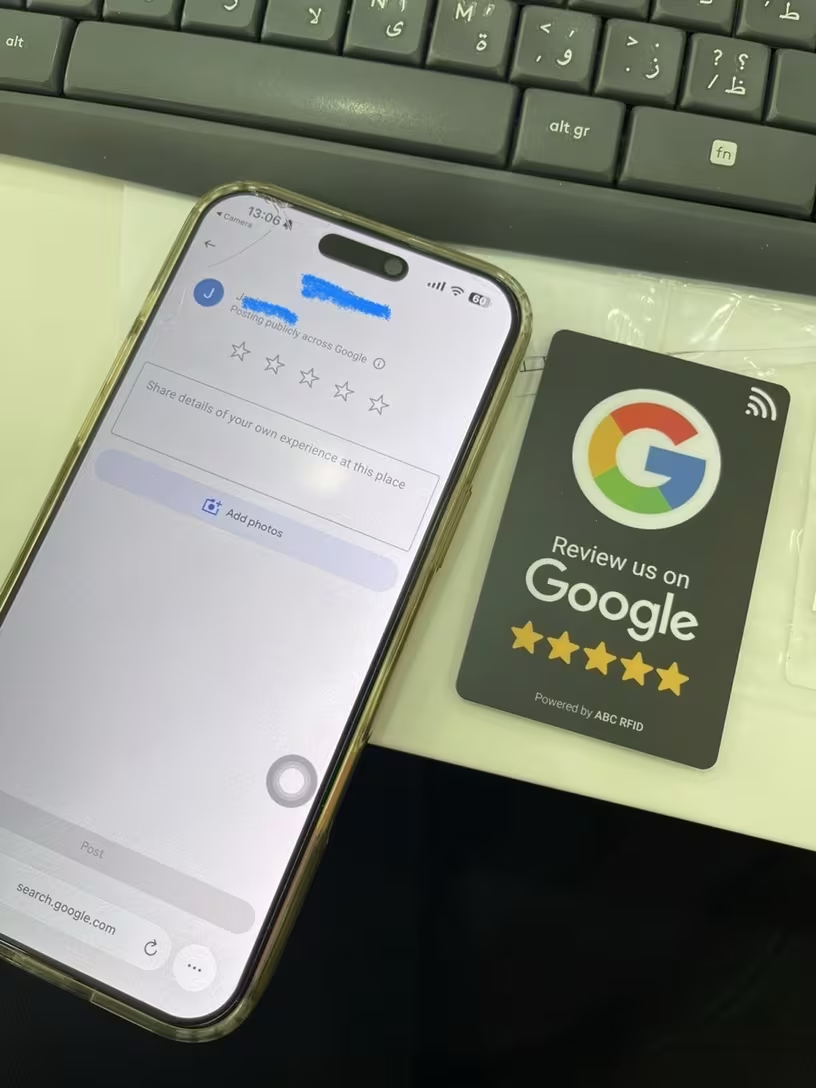
NFC stands for near-field communication. It is a short-range wireless technology that allows a phone to read a small chip when the two are brought close together. The card does not need a battery, mobile data connection or charging cable. The phone powers the interaction for the fraction of a second needed to read the stored link.
What is inside an NFC review card?
Inside the card is a passive NFC tag. The tag has a small amount of memory that can store a web address. For a Google review card, that address normally points to the business’s direct Google review link.
When a compatible phone is held near the tap area, the phone recognises the web address and displays a notification. The customer chooses the notification and the review page opens in their normal browser or Google interface. No Lekketap app is required.
What happens after a customer taps?
- The phone detects the NFC chip. The customer brings the NFC area of their phone within a few centimetres of the card.
- A link notification appears. The wording varies between iPhone and Android.
- The customer opens the notification. Their browser loads the stored destination.
- Google identifies the business profile. If the direct review link is correct, the rating and review interface appears.
- The customer decides what to share. They can leave an honest rating and comment or close the page.
The advantage is not automation; it is reduced friction. Without the card, a customer must open Google, search for the correct business, confirm the location, find the review area and then start writing. The card removes most of those steps.
Which phones work with NFC cards?
Most recent iPhones and Android phones support NFC. On newer iPhones, background tag reading generally works without changing a setting. On Android, NFC may need to be switched on in Settings, and the antenna position differs by manufacturer.
The most reliable technique is to move the phone slowly over the marked tap area. The top edge is commonly effective on iPhones, while many Android antennas sit near the upper or central back of the device. Thick metal or magnetic cases can interfere.
A printed QR code provides a useful fallback for customers whose phones do not support NFC, have NFC disabled or are difficult to position.
How is the review link programmed?
A Lekketap card can arrive programmed by the team or be set up by the customer. Programming writes the chosen URL to the chip. If the tag remains rewritable, that destination can later change from a Google review page to a booking link, menu, social profile or website.
Self setup uses a compatible NFC writing app and takes only a few minutes. The important steps are to use the complete secure URL, write it to the chip, and then test the result with another phone. Our self-setup guide explains the sequence.
NFC and QR codes are separate
Businesses often assume changing the NFC link also changes the printed QR code. It does not. The NFC chip stores digital data that can usually be rewritten. A printed QR code contains a fixed visual pattern.
If both routes must remain editable, the QR code needs to point to a managed redirect page rather than directly to Google. That type of hosted routing is one of the ideas behind the upcoming Smart Feedback product. Until then, test the tap and scan routes separately.
How to use an NFC review card well
- Ask real customers for honest feedback rather than a specific star rating.
- Present the card after the service or transaction is complete.
- Keep the tap area visible and easy to reach.
- Train staff to use one natural sentence instead of pressuring customers.
- Test the link monthly and whenever the business profile changes.
- Never offer a discount, gift or prize in exchange for a positive review.
For placement ideas, read where to position a Google review stand. For the broader customer process, see our guide to earning more Google reviews ethically.
Ready to shorten the journey?